Step 6: Server-Side Integration
⏱ 15 min readIntegrate Transcodes with your backend for enhanced security and control.
Why Server-Side Integration?
While the Auth Console Panel provides a quick no-code solution, server-side integration offers:
- Enhanced Security: Validate tokens on your server
- Custom Logic: Add business rules to authentication flow
- Database Sync: Store user data in your own database
- API Protection: Secure your API endpoints with token verification
How Token Verification Works
- Client: Gets a JWT token from Transcodes after authentication
- Client: Sends the token to your server in the
Authorizationheader - Your Server: Downloads the public key from Transcodes (once, then cache it)
- Your Server: Verifies the token locally using your language’s JWT library
- No API calls to Transcodes are needed for verification - it’s all done locally!
Token Verification
Transcodes uses standard JWT tokens. You verify them locally on your server using the public key and your language’s native JWT library. No API calls to Transcodes are needed for verification.
Get the User Token
After authentication, retrieve the user’s token from Transcodes:
const token = await transcodes.token.getAccessToken();Send Token to Your Server
Include the token in your API requests:
const response = await fetch('/api/protected', {
  headers: {
    Authorization: `Bearer ${token}`,
  },
});
Download the Public Key
Download the public key JSON file from the Transcodes dashboard and add it to your server:
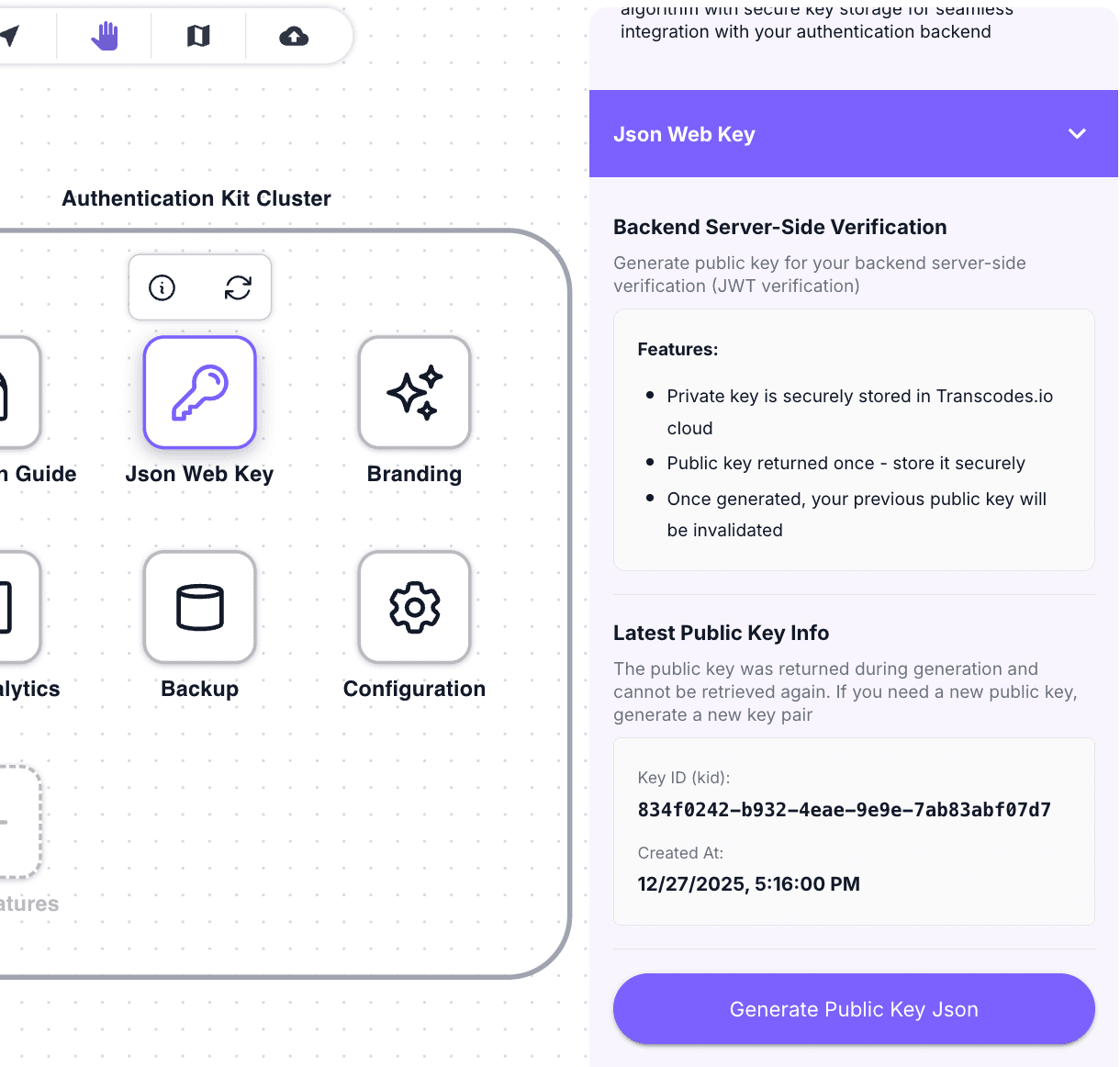
Important: Download this JSON file and add it to your server as a static file
Caveat: If you generate a new public key JSON in the dashboard, the previous one will become invalid. Make sure to update the JSON file on your server whenever you generate a new key.
Install JWT Library
Install your language’s native JWT library:
Node.js
npm install jsonwebtoken jwks-rsaVerify Token with Public Key
Use your language’s JWT library to verify tokens locally with the public key:
Node.js
// Node.js
const jwt = require('jsonwebtoken');
const jwksClient = require('jwks-rsa');

const client = jwksClient({
  jwksUri: 'https://cdn.transcodes.link/{YOUR_PROJECT_ID}/jwks.json',
  cache: true,
  cacheMaxAge: 86400000, // 24 hours
});

function getKey(header, callback) {
  client.getSigningKey(header.kid, (err, key) => {
    const signingKey = key.getPublicKey();
    callback(null, signingKey);
  });
}

async function verifyToken(token) {
  return new Promise((resolve, reject) => {
    jwt.verify(token, getKey, {
      algorithms: ['RS256'],
      issuer: 'https://api.transcodes.io'
    }, (err, decoded) => {
      if (err) reject(err);
      else resolve(decoded);
    });
  });
}

// Usage
try {
  const payload = await verifyToken(token);
  console.log('User ID:', payload.sub);
  console.log('Email:', payload.email);
} catch (error) {
  console.error('Invalid token:', error.message);
}No API Calls Required: Token verification happens entirely on your server using the public key. No network calls to Transcodes are needed, making verification fast and reliable.
What’s Next
Server-side integration complete! Explore more: - API Reference - View all available APIs and methods