Step 4: Call Auth Modals
⏱ 5 min readTrigger authentication modals with simple function calls.
Login Modal
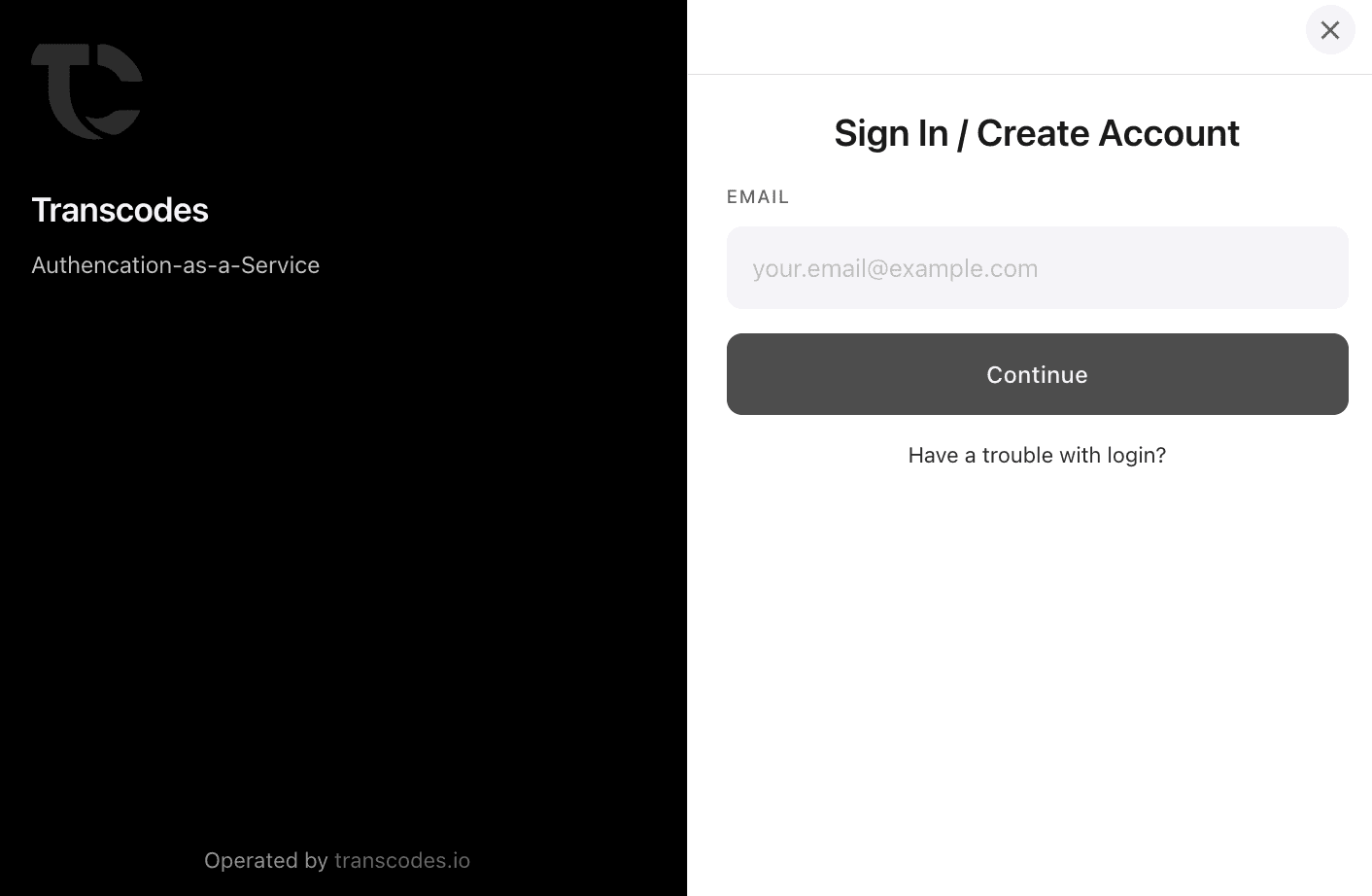
Open the login/registration modal:
const result = await transcodes.openAuthLoginModal();

if (result.success) {
  const authResult = result.payload[0];
  const user = authResult.user;
  const token = authResult.token;
  console.log('Welcome!', user.email);
  console.log('Access token:', token);
}
Response Structure
{
  success: boolean;
  payload: AuthResult[];
  error?: string;
  message?: string;
}

// AuthResult type
{
  token: string;
  user: {
    id?: string;
    projectId?: string;
    name?: string;
    email?: string;
    roles?: string;
    metadata?: Record<string, string | number | boolean | null | undefined>;
    createdAt?: Date | string;
    updatedAt?: Date | string;
  };
}
Account Management Modal
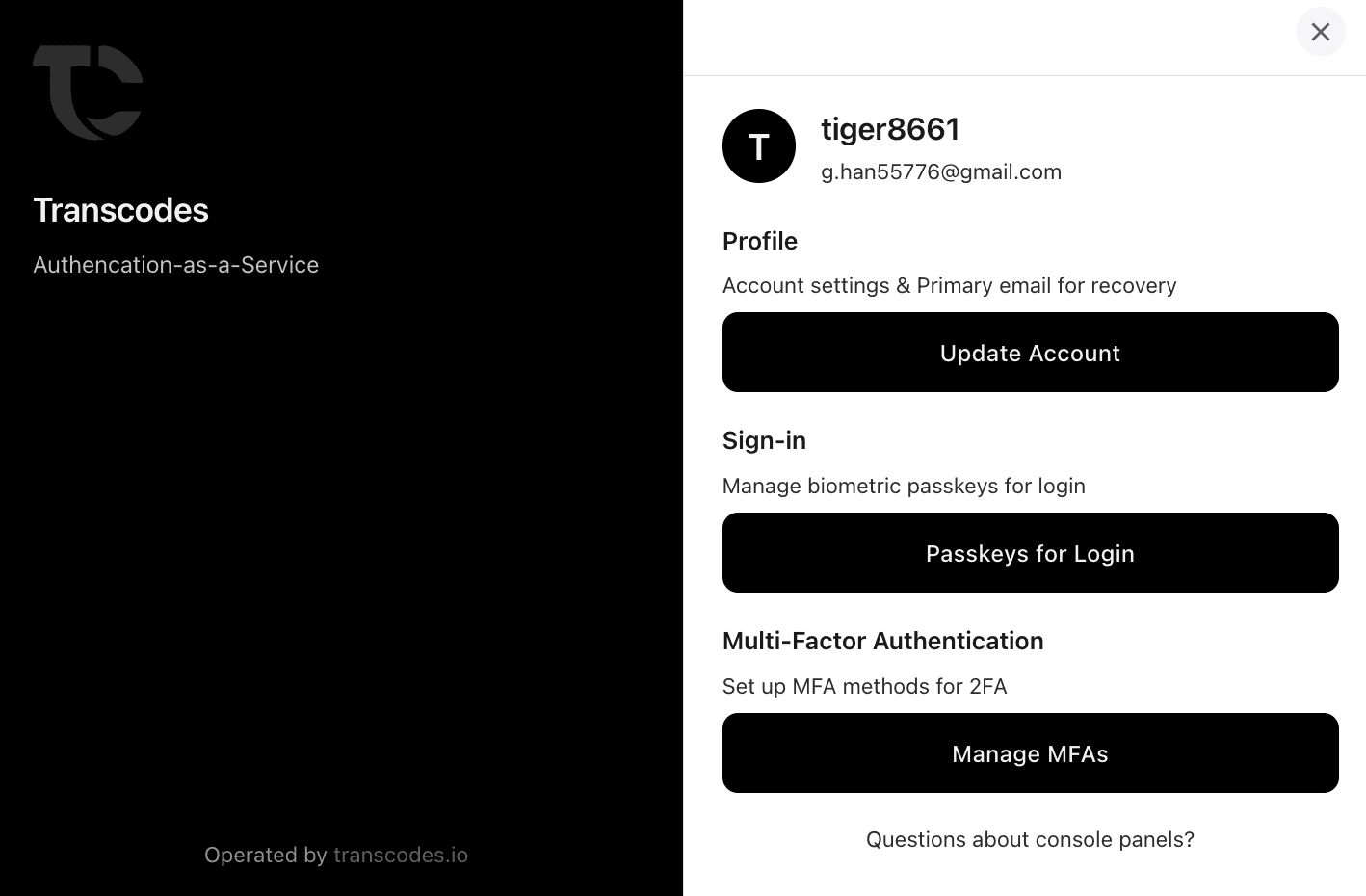
Open the account management console:
const USER_ID = 'user_123'; // Required: User ID for account management

const result = await transcodes.openAuthModal({
  userId: USER_ID // Required
});

if (result.success) {
  console.log('User opened account settings');
}
Features available in the modal:
- View registered passkeys
- Add new passkeys
- Delete passkeys
- View account information
Multi-Factor Authentication Modal
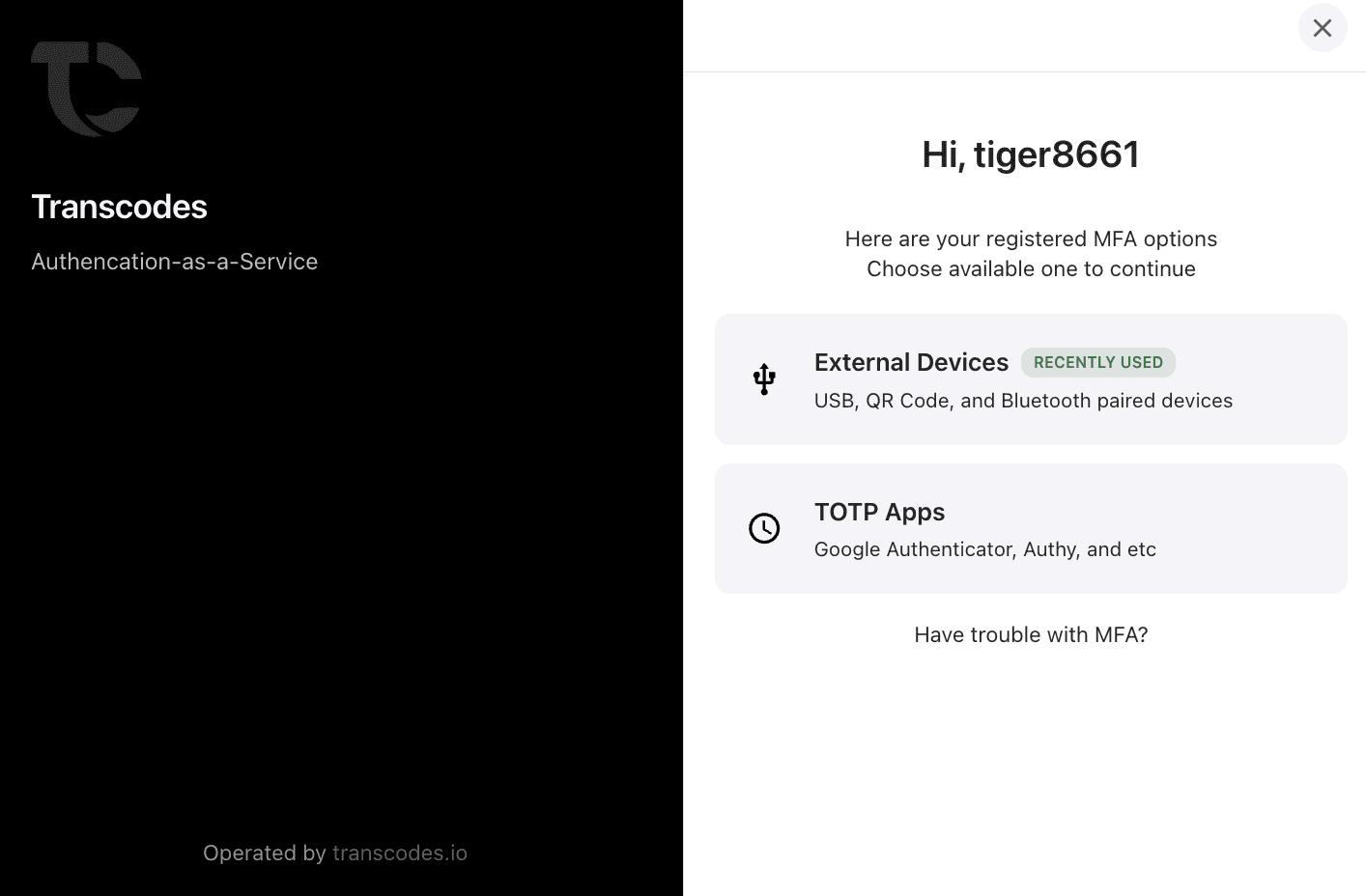
Trigger MFA setup or verification:
const USER_ID = 'user_123'; // Required: User ID for MFA setup/verification

const result = await transcodes.openAuthMfaModal({
  userId: USER_ID // Required
});

if (result.success) {
  const authResults = result.payload;
  console.log('MFA configured successfully', authResults);
}
Supported MFA methods:
- TOTP (Google Authenticator, Authy)
- Email OTP (6-digit code)
- Hardware Security Keys (YubiKey, etc.)
Modal Options
Modal methods and their parameters:
openAuthLoginModal
openAuthLoginModal(): Promise<ApiResponse<AuthResult[]>>Returns: Array of authentication results with token and user objects.
Note: This method does not accept any parameters. The SDK uses the project ID from the initialization configuration.
openAuthModal
openAuthModal(params: {
  userId: string;     // Required: User ID for account management
  projectId?: string; // Optional: Project ID from Transcodes dashboard
}): Promise<ApiResponse<null>>
Returns: Success response with null payload (modal opened successfully).
Note: The projectId parameter is automatically provided in almost all cases from the SDK initialization configuration. If you explicitly provide it, it will override the automatically provided value.
openAuthMfaModal
openAuthMfaModal(params: {
  userId: string;     // Required: User ID for MFA setup/verification
  projectId?: string; // Optional: Project ID from Transcodes dashboard
}): Promise<ApiResponse<AuthResult[]>>
Returns: Array of authentication results after MFA configuration/verification.
Note: The projectId parameter is automatically provided in almost all cases from the SDK initialization configuration. If you explicitly provide it, it will override the automatically provided value.
Parameter Reference
| Method | Parameters | Required | Description |
|---|---|---|---|
openAuthLoginModal | None | - | No parameters required |
openAuthModal | userId | Yes | User ID for account management |
openAuthModal | projectId | No | Project ID from Transcodes dashboard |
openAuthMfaModal | userId | Yes | User ID for MFA setup/verification |
openAuthMfaModal | projectId | No | Project ID from Transcodes dashboard |
Framework Integration
React
// React Component
import { useState } from 'react';

function LoginButton() {
  const [user, setUser] = useState(null);

  const handleLogin = async () => {
    const result = await transcodes.openAuthLoginModal();

    if (result.success) {
      const authResult = result.payload[0];
      setUser(authResult.user);
      // Store token if needed
      // localStorage.setItem('token', authResult.token);
    }
  };

  return (
    <div>
      {user ? (
        <p>Welcome, {user.email}!</p>
      ) : (
        <button onClick={handleLogin}>Sign In</button>
      )}
    </div>
  );
}Error Handling
Handle errors gracefully:
try {
  const result = await transcodes.openAuthLoginModal();

  if (!result.success) {
    console.error('Authentication failed:', result.error);
    console.error('Message:', result.message);
  }
} catch (error) {
  console.error('Modal error:', error);
}
The ApiResponse structure includes error information:
{
  success: boolean;
  payload: AuthResult[] | null;
  error?: string;    // Error code or message
  message?: string;  // Human-readable error message
}
What’s Next
Modals working! Next step: - Step 5: Listen for State Changes - React to authentication events