Quick Start: Auth Console Panel
⚡ 5 min readGet Transcodes authentication running in 5 minutes with our no-code Auth Console Panel.
What is the Auth Console Panel?
The Auth Console Panel is a comprehensive, pre-built dashboard that provides your users with complete control over their authentication and security settings. It’s a fully-featured account management interface that requires no backend code from you.
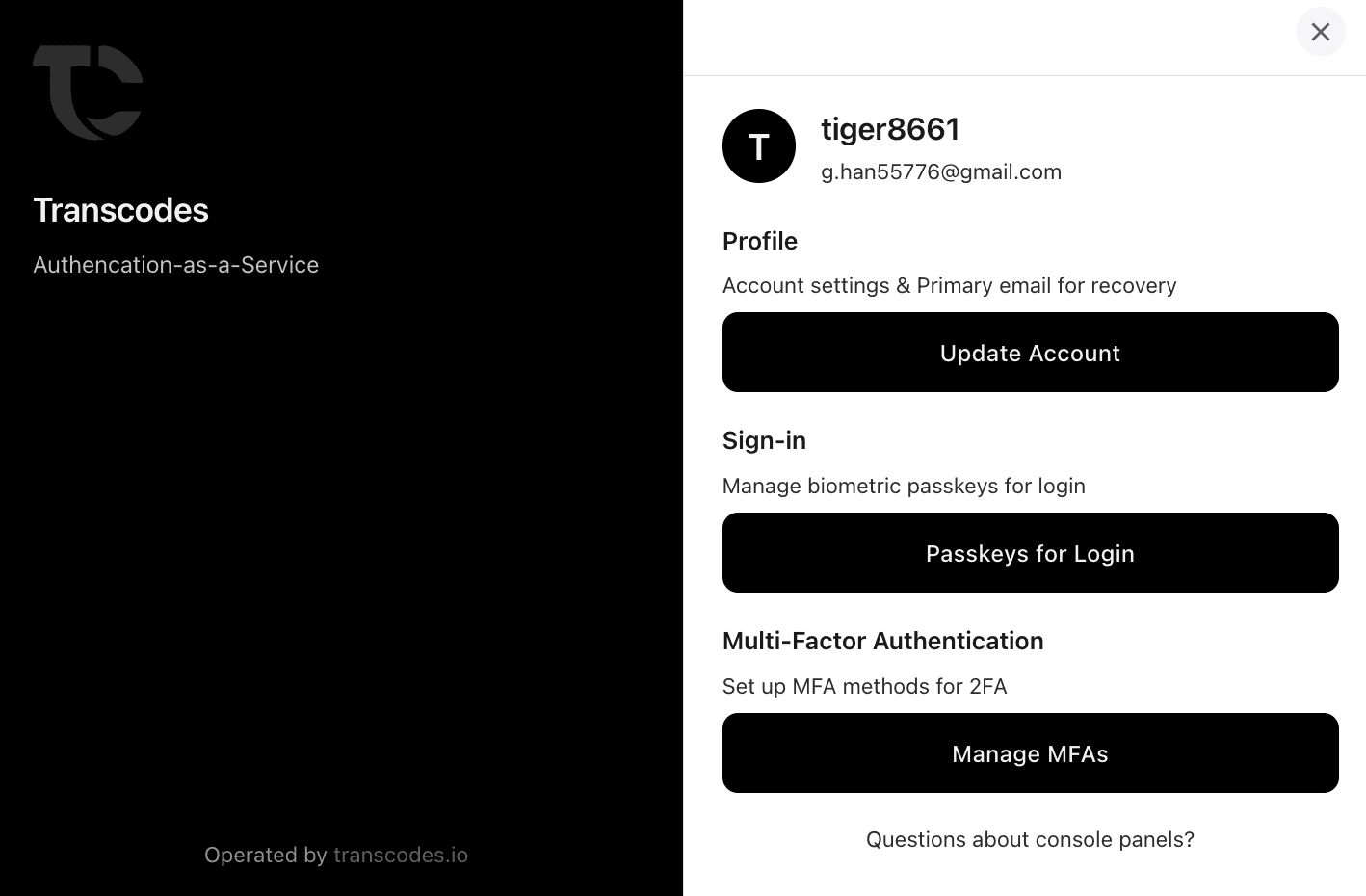
Features Available in the Console Panel
Profile Management
Users can manage their account profile and settings:
- Update Account Information: Change display name and profile details
- Primary Email for Recovery: Set and update the primary email address for account recovery
- Account Settings: Configure preferences and account options
- View Account Details: See account creation date, user ID, and other account information
Passkey Management
Complete biometric authentication management:
- View All Passkeys: See a list of all registered passkeys with device information
- Add New Passkeys: Register additional biometric credentials (fingerprint, Face ID, Windows Hello)
- Delete Passkeys: Remove passkeys from devices you no longer use
- Rename Passkeys: Give friendly names to your passkeys (e.g., “MacBook Pro”, “iPhone 15”)
- Device Information: View which device and browser each passkey is associated with
Multi-Factor Authentication (MFA)
Set up and manage multiple layers of security:
TOTP (Time-based One-Time Password)
- Set up authenticator apps (Google Authenticator, Authy, 1Password, etc.)
- Scan QR code or manually enter secret key
- Generate backup codes for recovery
- Enable/disable TOTP authentication
Email OTP
- Receive 6-digit verification codes via email
- Configure email-based two-factor authentication
- Set up backup email addresses
Hardware Security Keys (USB)
- Register YubiKey and other FIDO2-compliant security keys
- Manage multiple hardware keys for redundancy
- View registered security key information
- Remove lost or compromised keys
What’s Next
Console panel ready! Explore more: - API Reference - View all available APIs and methods - Server-Side Integration - Enhance security with backend integration
Last updated on