Step 3: Call MFA Modal
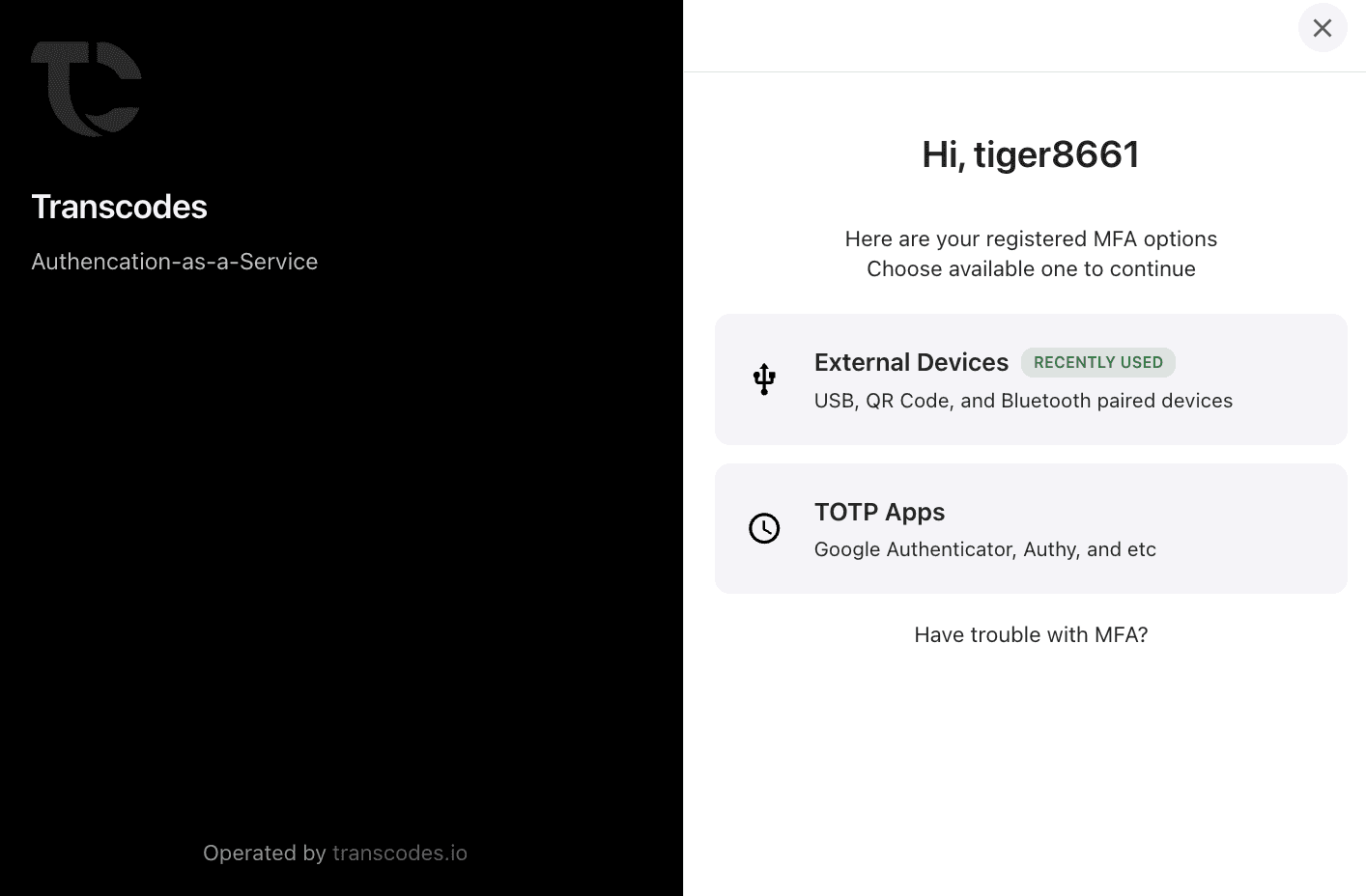
⏱ 5 minTrigger the MFA verification modal with a single function call.
Open MFA Modal
const result = await transcodes.openAuthMfaModal();

if (result.success) {
  console.log('MFA verified successfully');
  // Proceed with sensitive action
}
Response Structure
{
  success: boolean;
  payload: [{
    verified: boolean;
    method: 'totp' | 'email' | 'hardware_key';
    verifiedAt: string;
  }];
}
Supported MFA Methods
| Method | Description | User Experience |
|---|---|---|
| TOTP | Time-based one-time password | Enter 6-digit code from authenticator app |
| Email OTP | Email verification code | Enter 6-digit code sent to email |
| Hardware Key | YubiKey, FIDO2 keys | Tap or insert security key |
Usage Patterns
Protect Admin Panel
async function openAdminPanel() {
  const mfaResult = await transcodes.openAuthMfaModal();

  if (!mfaResult.success) {
    alert('MFA verification required to access admin panel');
    return;
  }

  // MFA verified - show admin panel
  window.location.href = '/admin';
}
Protect Sensitive Actions
async function deleteAccount() {
  // Confirm with user first
  if (!confirm('Are you sure you want to delete your account?')) {
    return;
  }

  // Require MFA verification
  const mfaResult = await transcodes.openAuthMfaModal();

  if (!mfaResult.success) {
    alert('MFA verification required for account deletion');
    return;
  }

  // Proceed with deletion
  await api.deleteAccount();
}
Protect Financial Transactions
async function processPayment(amount) {
  // Require MFA for large transactions
  if (amount > 1000) {
    const mfaResult = await transcodes.openAuthMfaModal();

    if (!mfaResult.success) {
      throw new Error('MFA required for transactions over $1000');
    }
  }

  // Process payment
  await api.processPayment(amount);
}
Framework Examples
React
import { useState } from 'react';

function AdminButton() {
  const [loading, setLoading] = useState(false);

  const handleAdminAccess = async () => {
    setLoading(true);

    try {
      const mfaResult = await transcodes.openAuthMfaModal();

      if (mfaResult.success) {
        window.location.href = '/admin';
      }
    } finally {
      setLoading(false);
    }
  };

  return (
    <button onClick={handleAdminAccess} disabled={loading}>
      {loading ? 'Verifying...' : 'Access Admin Panel'}
    </button>
  );
}Error Handling
try {
  const mfaResult = await transcodes.openAuthMfaModal();

  if (!mfaResult.success) {
    // User cancelled or verification failed
    console.log('MFA not completed');
    return;
  }

  // Success - proceed with action
} catch (error) {
  console.error('MFA modal error:', error);
}
What’s Next
MFA modal working! Next: Step 4: Handle MFA Response
Last updated on